
Connected Devices in the Home: What 'Smart' Actually Requires to Work
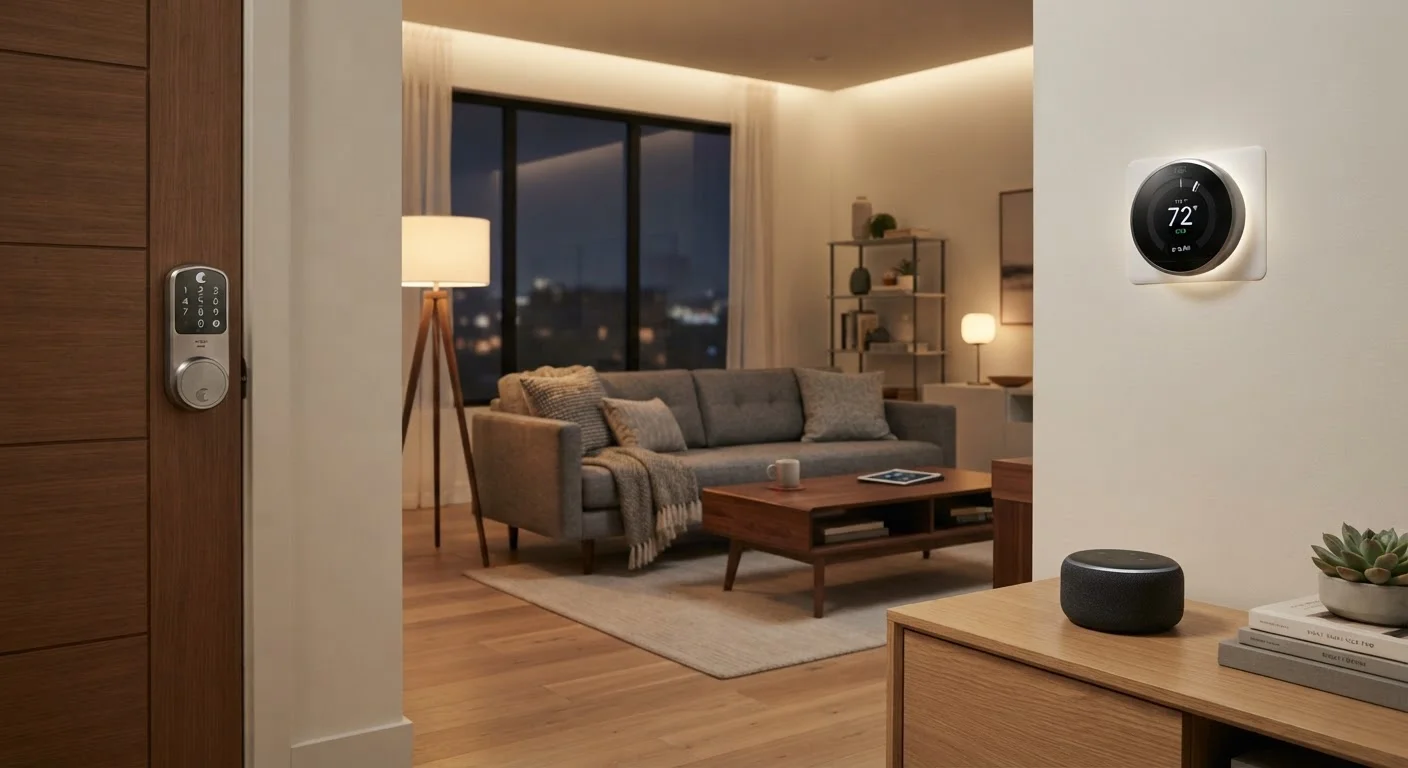
Photo credit: SearchLynk.net | Search Made Easier
In this article
Smart speakers, thermostats, and locks all depend on infrastructure you may not have considered. Here's what to know.
Key Takeaways
- Smart devices require a reliable home network - not just a power outlet - to function properly.
- Different device types use different wireless protocols: Wi-Fi, Bluetooth, Zigbee, and Z-Wave each have tradeoffs.
- Internet speed matters less than network stability and router placement for smart home performance.
- Every connected device is a potential security entry point; regular updates and strong passwords matter.
- A single point of failure - like a router reboot - can knock out your entire smart home simultaneously.
What 'Smart' Actually Means
The word smart in consumer electronics has a specific technical meaning: the device can send and receive data over a network, typically to be monitored or controlled remotely. A conventional light switch operates mechanically. A smart switch contains a small processor, wireless radio, and firmware - and it depends on network infrastructure to do what makes it worth buying.
This distinction matters because adding a smart device to your home isn't like plugging in a lamp. You're adding a networked computer that needs ongoing connectivity, software updates, and integration with other systems. Understanding that upfront saves considerable frustration later.
Wireless protocol
A set of rules governing how devices send and receive data wirelessly. Different protocols (Wi-Fi, Zigbee, Z-Wave) are optimized for different purposes like range, power consumption, or speed.
Firmware
Software permanently installed on a device's hardware that controls how it operates. Manufacturers release firmware updates to fix bugs and patch security vulnerabilities.
Hub
A central device that bridges communication between smart home devices using one protocol (like Zigbee) and your home's Wi-Fi network, allowing them to be controlled via app or voice assistant.
Mesh network
A type of network where each device can relay data to other devices, extending coverage without requiring every node to connect directly to a central router.
Cloud dependency
When a device requires an active connection to the manufacturer's remote servers to function. Cloud-dependent devices may stop working if those servers go offline or the company closes.
Matter
An open interoperability standard for smart home devices that allows products from different manufacturers to work together locally, reducing reliance on cloud services.
The Infrastructure Every Smart Device Needs
Before any smart device can do its job, three things must be in place: a home network, a router with sufficient capacity, and in most cases, a stable broadband connection. These aren't optional extras - they're the foundation.
Router placement is often underestimated. A smart thermostat installed in a hallway far from your router may struggle with a weak Wi-Fi signal, causing delayed responses or dropped connections. Our guide on router placement and home network performance covers how to address this systematically.
If you're still choosing or evaluating your internet service, this complete roadmap to home internet explains connection types and what to look for before committing to a plan.
Check Your Router's Device Capacity
Consumer routers typically support 20-50 simultaneous connected devices before performance degrades. If you're planning a fully connected home with dozens of sensors, cameras, and speakers, check your router's published device limit and consider whether a mesh Wi-Fi system or a dedicated IoT network segment would serve you better.
How Different Devices Connect
Not all smart devices use Wi-Fi. Understanding the main wireless protocols helps you anticipate what gear you'll actually need.
- Wi-Fi: The most common protocol for smart TVs, speakers, and cameras. Connects directly to your router with no extra hardware. Uses more power, making it less suitable for battery-operated sensors.
- Bluetooth and Bluetooth Low Energy (BLE): Short-range, low-power connections used in locks, health monitors, and accessories. Often pairs directly with a phone rather than a router. For a deeper look at how Bluetooth works across devices, see how companion devices connect to your phone.
- Zigbee and Z-Wave: Mesh networking protocols designed for low-power home automation devices like sensors and switches. They form a network where each device can relay signals to others, extending range - but typically require a compatible hub to connect to the internet.
- Matter: A newer interoperability standard backed by major manufacturers, designed to let devices from different brands work together locally without depending on manufacturer cloud servers.
Security and Privacy Considerations
Every device you add to your network is a potential entry point. Smart home devices have been exploited in real-world attacks when left running outdated firmware or configured with default passwords. The risk is manageable with consistent habits.
Key practices include: changing default credentials immediately, enabling automatic firmware updates where available, and placing smart devices on a separate guest network segment so they can't communicate directly with computers holding sensitive data. For a broader look at overlooked security settings, device security settings most users never enable is worth reading alongside this guide.
Privacy is a separate but related concern. Many smart speakers and cameras process voice or video data through manufacturer cloud servers. Review the privacy settings of each device and understand what data is retained, for how long, and whether it can be deleted.
Never Use Default Device Passwords
Smart home devices ship with default login credentials that are publicly documented and frequently targeted by automated scanning tools. Changing these to strong, unique passwords immediately after setup is one of the most effective steps you can take to protect your network. Using a password manager makes this practical even across many devices.
When Your Smart Home Stops Working
Because smart devices depend on shared infrastructure, failures tend to cascade. A router reboot, an ISP outage, or a manufacturer cloud service going offline can simultaneously disable multiple devices across your home. This is a structural characteristic of cloud-dependent smart home ecosystems - not a defect specific to any one device.
Troubleshooting generally follows a predictable sequence: verify the internet connection is up, confirm the router is functioning and in range, check the device manufacturer's service status page for outages, and then inspect device-specific settings. Most problems resolve at one of the first two steps.
For households doing broader home upgrades alongside smart device installation - running new cable conduit, for instance - DIY home improvement for first-timers provides grounded guidance on what to tackle yourself and when to call a professional. Some smart device installations, particularly those involving electrical wiring for in-wall switches or smart panels, may require a licensed electrician depending on local building codes.
Frequently Asked Questions

Author
Tech & Telecom Editorial Team
Tech & Telecom Editorial Team is the collective byline for our editorial team and contributor network. Articles published under this byline or an editorial pen name are researched, written, and reviewed according to our editorial standards for clarity, consistency, and independence before publication.
View all articles →